August 2026: a new look for iOS, shortcuts and offline documents
The iOS app adopts the iOS 26 design with Liquid Glass and a light mode, gains shortcuts and offline documents, and parts costs flow into your repairs.
- Web 2026.8.3
- iOS 0.9.0
August was the iOS app’s month: a new design, shortcuts, offline documents and a long list of polish. On the web, parts now count towards the cost of your repairs. This post covers web app 2026.8.0 – 2026.8.3 and iOS app 0.4.0 – 0.9.0.
Highlights
The iOS app in the iOS 26 design
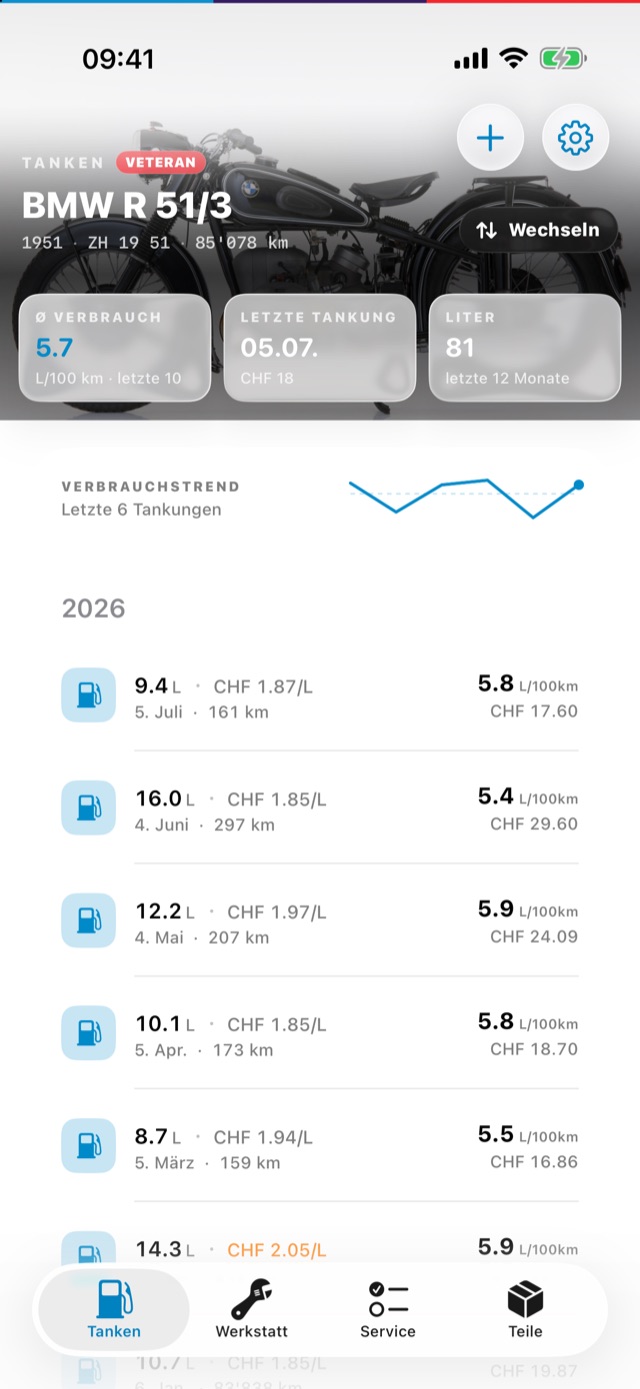
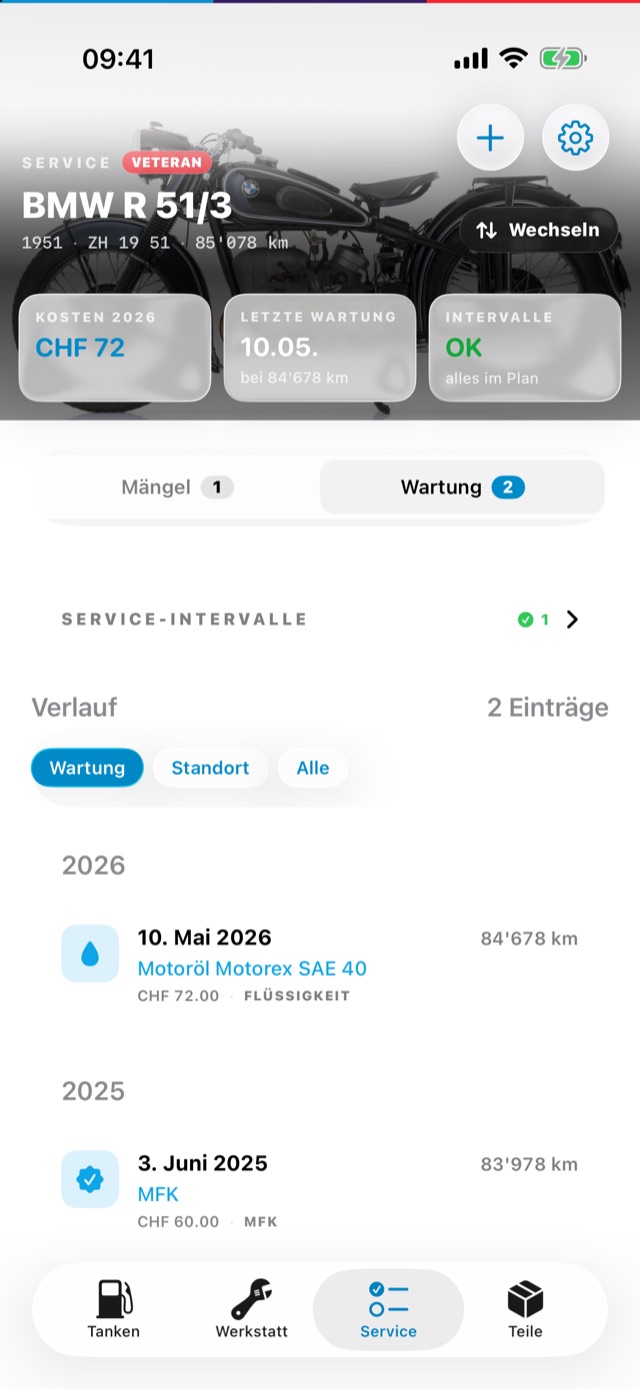
The iOS app now uses the native iOS 26 look — Liquid Glass controls, a layered app icon and, for the first time, a light mode. Each tab opens with your motorcycle and its key figures at the top.
Shortcuts and quick actions
Log a fill-up or scan a part label straight from the Home Screen: press and hold the app icon for quick actions, or use the new shortcuts in the Shortcuts app and with Siri.
Documents offline
Pin documents to keep them on your iPhone, with a badge that shows their status. Documents open in a reader with search inside the document and sharing.
Parts costs in your repairs
Parts you use in a repair now count towards its cost, and each part shows which repairs it went into — in the web app and in the iOS app’s parts tab.
Polish everywhere
Bigger tap targets, haptics, clearer empty states and better VoiceOver support. Headers and fuel rows stay legible at large text sizes, the service history gets compact filter chips and a search, and the service intervals card gets a collapsed overview.
Web app
2026.8.3 – August 23
- Fix: workshops can be chosen as a motorcycle’s location.
2026.8.1 – August 21
- Parts count towards the cost of repairs, and each part links back to the repairs it was used in.
2026.8.0 – August 7
- Maintenance updates; nothing visible changes.
iOS app
0.9.0 – August 31
- Compact filter chips for the service history and a collapsed overview of the service intervals.
- Fuel fields drop their placeholder once you type the full value again.
- Fix: half-typed fill-ups survive the app being closed in the background.
- Fix: the scan button is back on the parts toolbar.
0.8.0 – August 24
- Bigger tap targets, haptics, clearer empty states and better VoiceOver support.
- Grouped toolbars, banners that dismiss themselves, currency symbols and a search in the history.
- Fix: model years display correctly and the fuel-station spinner no longer runs forever.
- Fix: the history filter no longer gets stuck on Alle.
- Fix: headers and fuel rows stay legible at large text sizes.
0.7.0 – August 23
- Storage locations can be linked to workshops.
- Faster app and smoother everyday workflows.
- A new image on the login screen.
0.6.0 – August 18
- Native iOS 26 design with Liquid Glass, and a light mode.
- Layered app icon and polished swipe actions.
- Shortcuts and Home Screen quick actions for logging fuel and scanning labels.
- Fix: no more flashes when switching between parts segments.
0.5.0 – August 17
- Parts are filtered to the selected motorcycle by default.
- Empty document segments explain why they are empty.
- Usability improvements across all tabs.
- Fix: fuel stations show at their saved location.
- Fix: logging out clears everything stored on the device.
0.4.0 – August 16
- Pin documents for offline use, with a status badge.
- Documents open in a reader with search and sharing.
- Parts costs on repairs, and links to the repairs in the parts tab.
- Accessibility improvements.
- Fix: storage locations can be created from the empty parts list.
- Fix: workshop sections and their add buttons stay visible when there is no data yet.